分类
技术分享

wordpress固定链接后无法打开文章,也无法发文

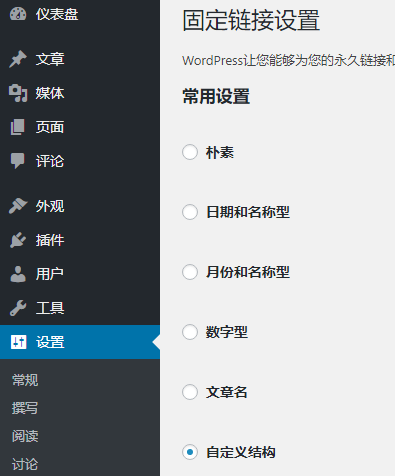
wordpress修改固定链接,设置成自定义结构后,文章无法打开

解决方法是在nginx的配置.conf文件中的server处loction \ {} 加入以下代码

if (-f $request_filename/index.html){
rewrite (.*) $1/index.html break;
}

if (-f $request_filename/index.php){
rewrite (.*) $1/index.php;
}

if (!-f $request_filename){
rewrite (.*) /index.php;
}


分类
技术分享

知更鸟begin主题分享按钮无反应

知更鸟begin4.6主题分享按钮修复方法.无反应主要是js代码没有调用,比如把网站从https变为httpss后,分享按钮就没有反应了。

我们可以在wordpress到后台,仪表盘-外观-编辑,找到footer.php找到如下面的这段代码

<script>window._bd_share_config={"common":{"bdSnsKey":{},"bdText":"","bdMini":"2","bdMiniList":false,"bdPic":"","bdStyle":"1","bdSize":"16"},"share":{"bdSize":16}};with(document)0[(getElementsByTagName('head')[0]||body).appendChild(createElement('script')).src='https://bdimg.share.baidu.com/static/api/js/share.js?v=89860593.js?cdnversion='+~(-new?Date()/36e5)];</script>

我们看到是调用了在线js库来自百度https://bdimg.share.baidu.com/static/api/js/share.js?v=89860593.js?cdnversion='+~(-new?Date()/36e5)]
由于是https开头的,而我们的网站已经改造成httpss了,所以要修改这里。把它改成调用本地库,看到网上有人做的库如下可以下载解压,将static文件下载解压到网站根目录。

static下载

提取密码: xncq

把上面那段代码中的https://bdimg.share.baidu.com修改为你的域名:httpss://xxx.com
分类
技术分享

百度虚拟主机wordpress固定链接设置(URL伪静态设置)

点此下载          下载地址二

使用方法:

1、下载后解压,将里面bcloud_nginx_user.conf 文件复制出来;

2、使用FTP连上你的百度云虚拟主机;

3、将bcloud_nginx_user.conf 上传到网站根目录/webroot/中;

4、百度云后台——常用操作——站点启停——重载站点服务;

5、重载完毕,FTP中删除原主页index.html;

6、wordpress后台设置下固定链接;

分类
技术分享

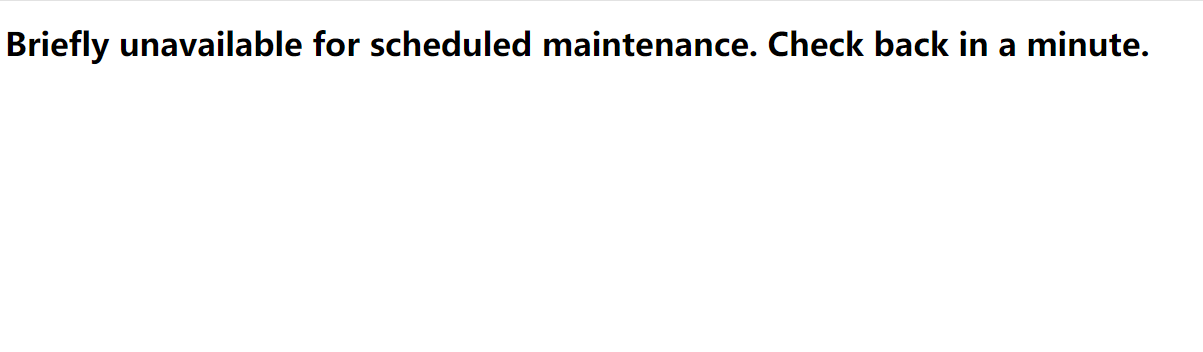
Briefly unavailable for scheduled maintenance. Check back in a minute

wordpress升级主题出现后报错,访问出现:Briefly unavailable for scheduled maintenance. Check back in a minute.大意:暂时无法安排维护,核对。1.其实你稍等下就能能访问了。2.如果你不想等,或者页面一直这样的话,也可将它直接删除。

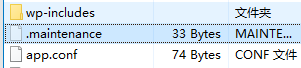
解决方法:到网站下回看到多出了 .maintenance的文件,

打开后会看到

<?php $upgrading = 1538639497; ?>

有的人的是看到后面那串数字不一样。我们只需将.maintenance文件删除即可。